Themes
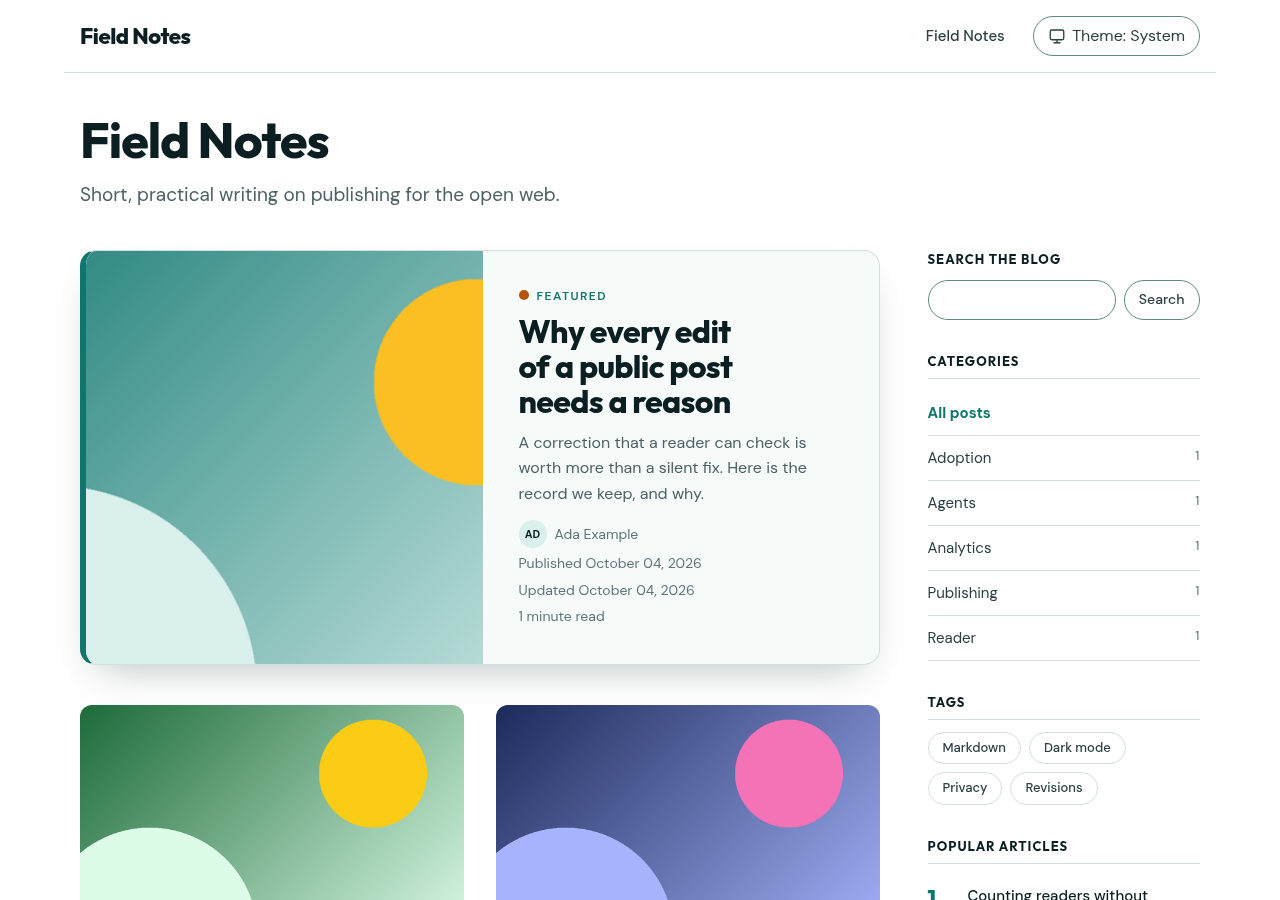
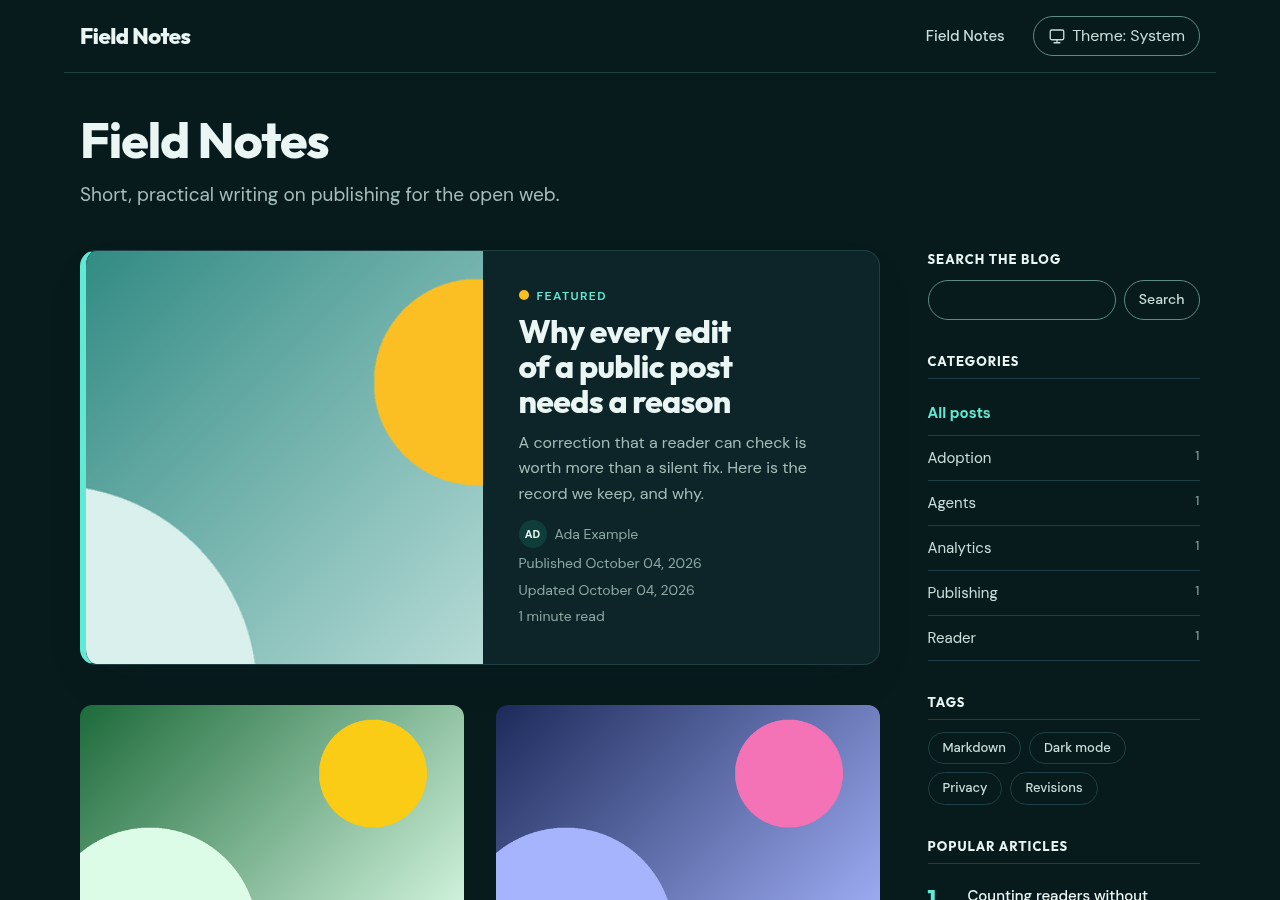
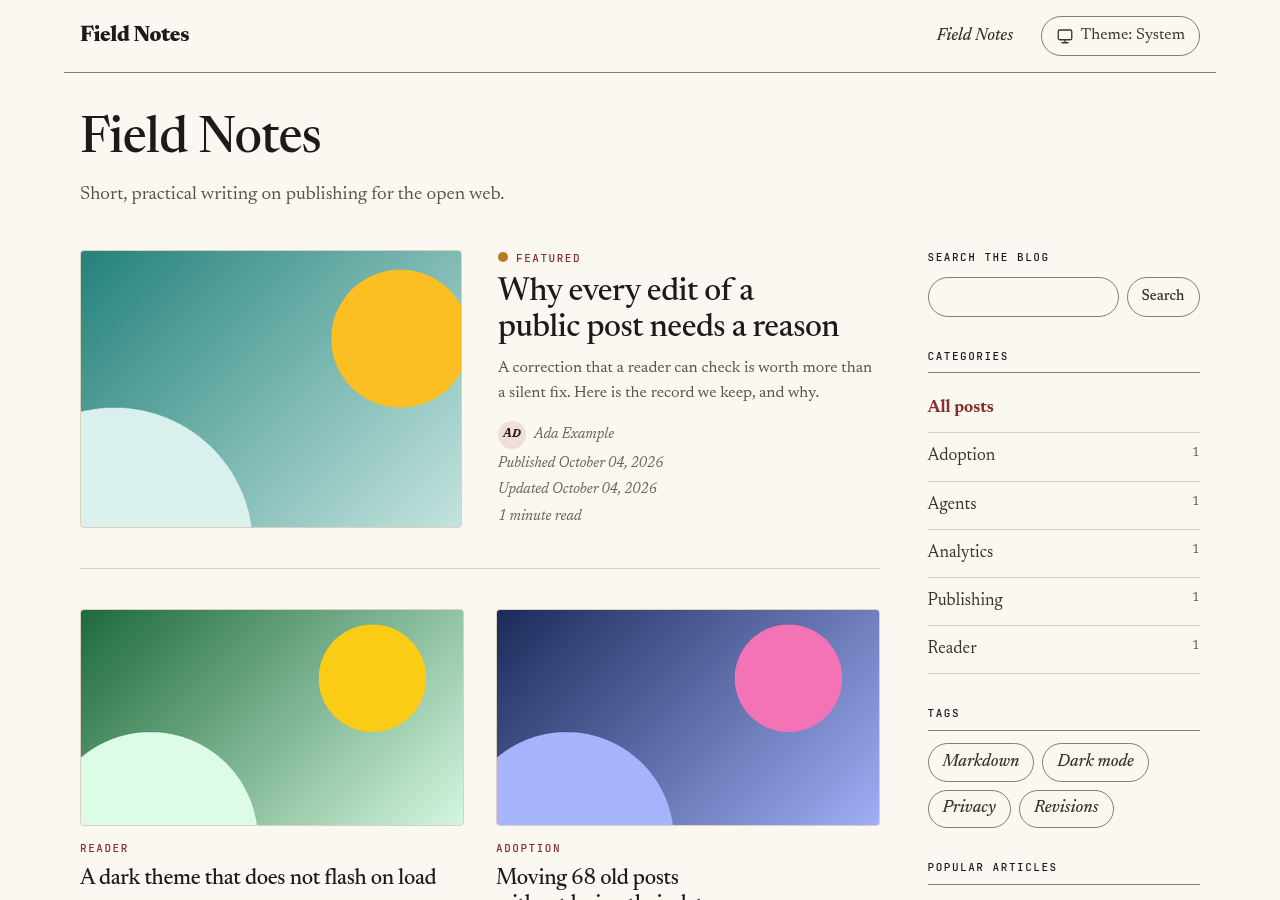
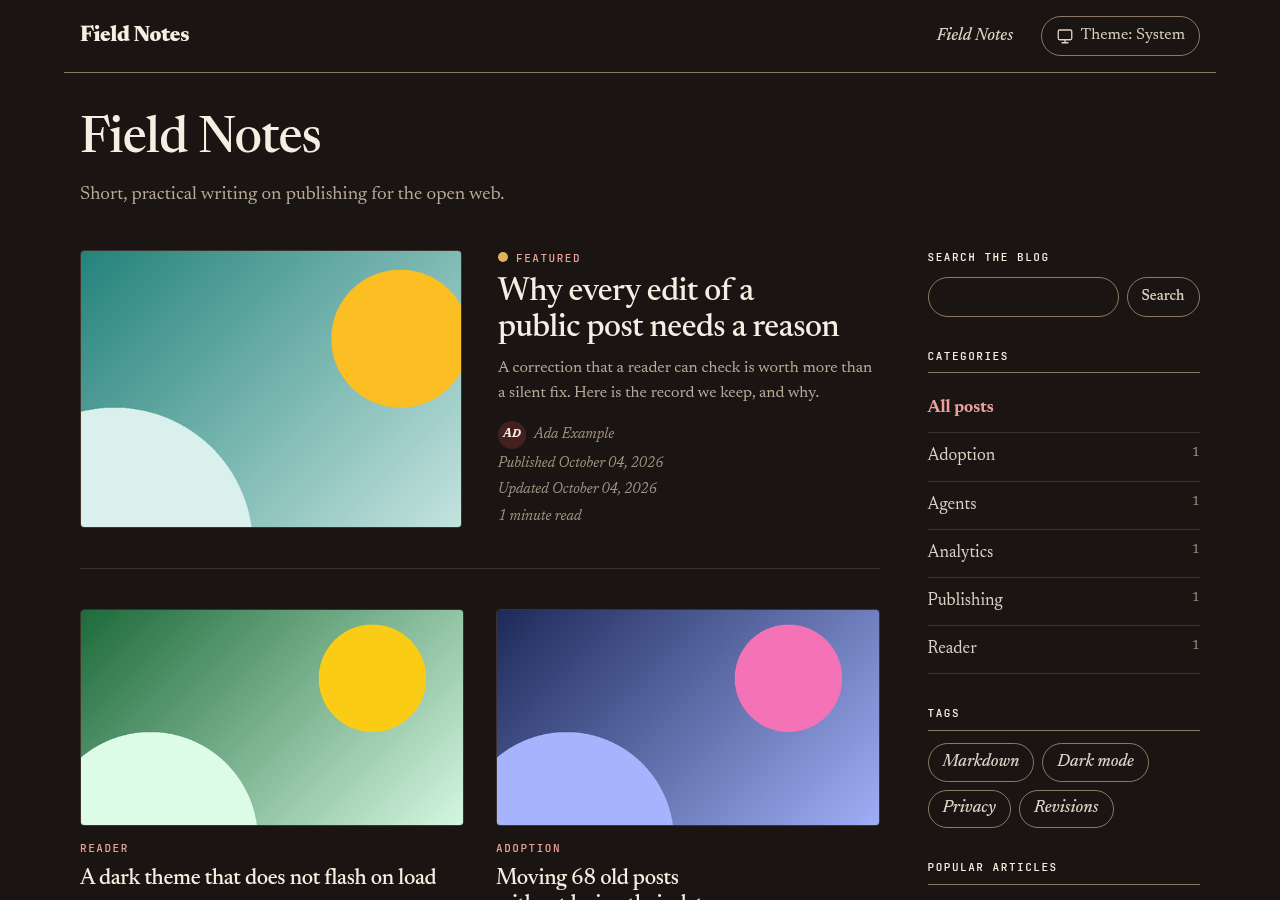
A preset is a named set of design tokens: colors for light and dark mode, fonts, corner radii, rule widths, and heading style. The reader views are the same for every preset; only the token values change. Three presets ship with the gem, and signal is the default.
| Preset | Character | Fonts | Shape |
|---|---|---|---|
signal |
White surface, teal accent, amber second accent | Outfit (headings), DM Sans (body), JetBrains Mono (code) | 1rem card radius, soft shadow, pill-shaped tags |
editorial |
Warm paper surface, oxblood accent, ochre second accent | Newsreader (headings and body), JetBrains Mono (code) | 0.375rem card radius, thin rules, no shadow, drop cap, italic lede |
ink |
White surface, near-black text, blue accent, lime second accent | Space Grotesk (headings), DM Sans (body), JetBrains Mono (code) | No radius, 2px rules, uppercase headings, numbered h2 headings |
Signal
Editorial
Ink
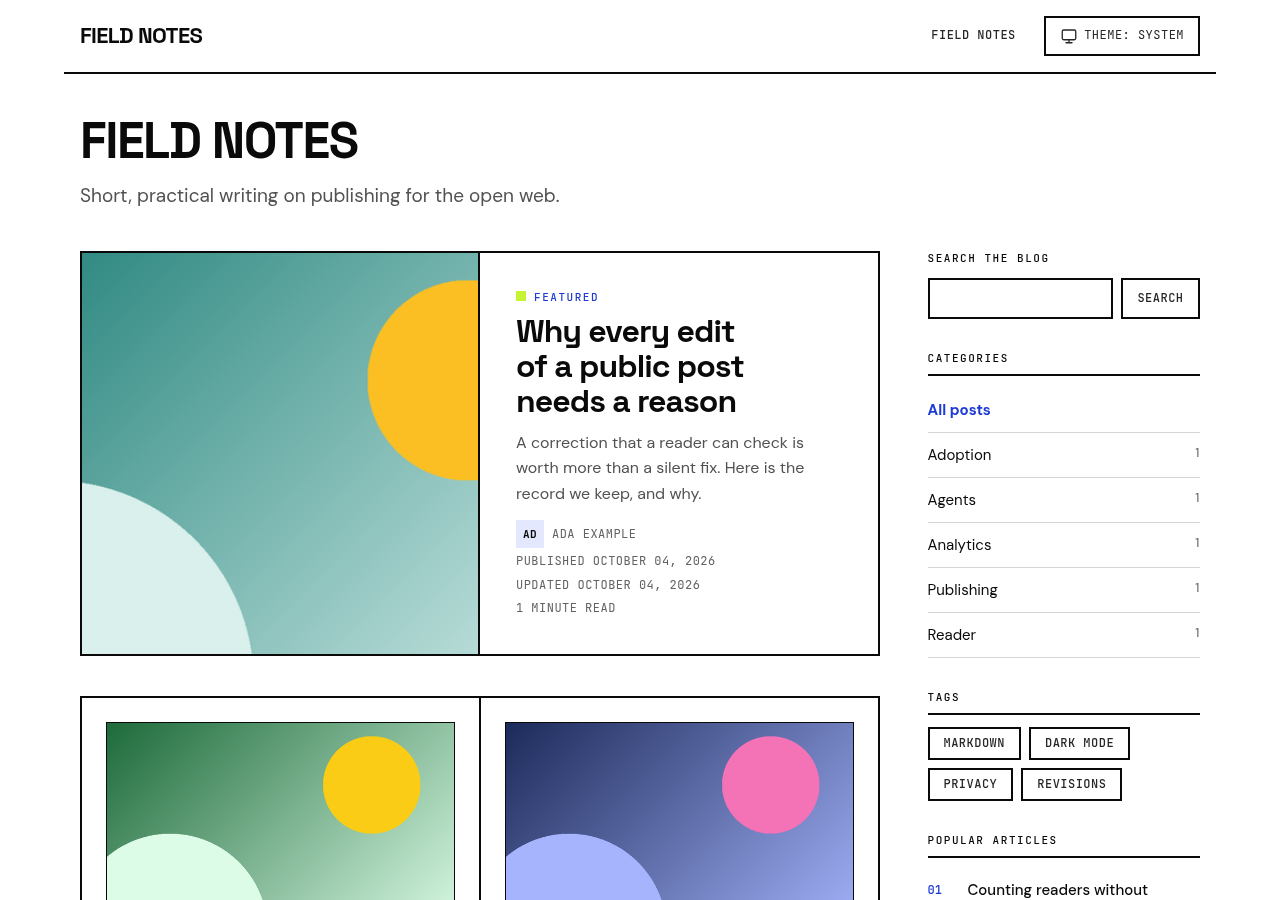
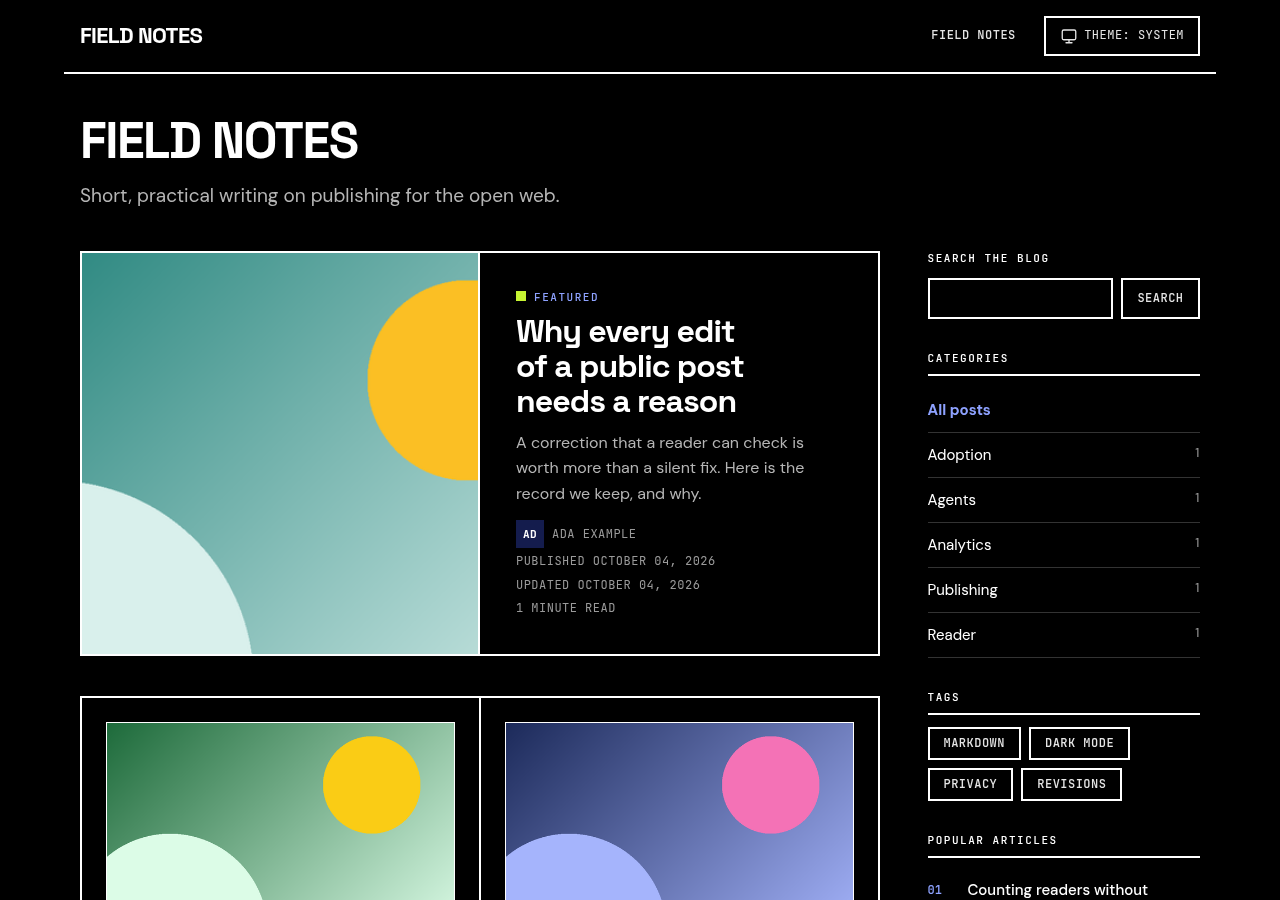
Choose a preset
Set the preset in config/initializers/open_blog.rb:
OpenBlog.configure do |config|
  config.theme = :editorial
end
The value is a symbol: :signal, :editorial, :ink, or :none. Any other value raises OpenBlog::ConfigurationError at boot. Restart the application after a change.
The installer writes the same setting when you pass --theme:
bin/rails generate open_blog:install --theme=ink
The preset is independent of light and dark mode. config.color_scheme and the reader’s toggle still select the mode; each preset has values for both.
Change the color palette
config.theme_colors replaces single colors of the active preset. You do not edit a stylesheet.
A top-level key applies to light and dark mode:
config.theme = :signal
config.theme_colors = { accent: "#1d4ed8", accent_hover: "#1e40af" }
light: and dark: hold values for one mode. A per-mode value wins over a top-level value for the same token:
config.theme_colors = {
  accent: "#1d4ed8",
  light: { surface: "#fffdf8", accent_soft: "#dbeafe" },
  dark: { accent: "#93c5fd", accent_contrast: "#0b1220" }
}
Tokens that you do not name keep the preset value.
| Rule | Detail |
|---|---|
| Keys | Symbols with underscores from the color token table, plus light and dark. String keys and names with dashes are refused. |
light: and dark: |
Each must be a hash of color tokens. A mode inside a mode is refused. |
| Values | Strings in hex form only: #rgb, #rrggbb, or #rrggbbaa. Color names, rgb(), and var() are refused. |
| When | Checked at application boot. An invalid entry raises OpenBlog::ConfigurationError and names the key, for example OpenBlog theme_colors.dark.accent must be a hex colour such as #0f766e. |
The blog layout writes the overrides as one <style> element with the host’s Content Security Policy nonce. If your policy restricts style-src, configure a nonce generator so the browser accepts the element. The theme-color meta tags use the surface color with your overrides applied.
Color tokens
Each token is a CSS custom property with the --ob- prefix. The configuration key is the same name with underscores. The defaults below are the signal values; OpenBlog::Themes.fetch(:editorial).light and .dark return the values of another preset.
| CSS property | Configuration key | Used for | Signal light | Signal dark |
|---|---|---|---|---|
--ob-surface |
surface |
Page background and theme-color |
#ffffff |
#071a1c |
--ob-surface-raised |
surface_raised |
Cards, boxes, and the table of contents | #f6fbfa |
#0d2528 |
--ob-surface-sunken |
surface_sunken |
Inset areas such as media placeholders and inline code | #eaf4f2 |
#041214 |
--ob-heading |
heading |
Headings and titles | #0b1f22 |
#eaf6f4 |
--ob-text |
text |
Article text | #2b3f42 |
#c9dedb |
--ob-text-muted |
text_muted |
Summaries, the lede, and FAQ answers | #4d6165 |
#a3bdb9 |
--ob-text-subtle |
text_subtle |
Dates, reading time, and captions | #5f7579 |
#8ba8a4 |
--ob-border |
border |
Rules and box borders | #cfe0dd |
#1f4145 |
--ob-border-strong |
border_strong |
Form controls and emphasized rules | #5f8a84 |
#5f8a84 |
--ob-accent |
accent |
Links, buttons, and focus outlines | #0f766e |
#5eead4 |
--ob-accent-hover |
accent_hover |
Links and buttons on hover | #115e59 |
#99f6e4 |
--ob-accent-soft |
accent_soft |
Tinted backgrounds for block quotes, placeholders, and search suggestions on hover | #d9f0ec |
#0f3d3a |
--ob-accent-contrast |
accent_contrast |
Text on an accent background |
#ffffff |
#06201f |
--ob-accent-2 |
accent_2 |
Decoration only: the featured dot, the horizontal rule, and the call-to-action bar | #b45309 |
#fbbf24 |
--ob-accent-2-soft |
accent_2_soft |
Text selection and placeholder tint | #fdebd3 |
#3d2a0a |
--ob-code-bg |
code_bg |
Code block background | #f6fbfa |
#041214 |
--ob-code-text |
code_text |
Code text without a syntax color | #0b1f22 |
#e6f1ef |
--ob-code-border |
code_border |
Code block border | #b3cfca |
#2a4d51 |
--ob-notice-bg |
notice_bg |
AI and correction notice background | #fff7e8 |
#33250c |
--ob-notice-border |
notice_border |
Notice border | #f0b35b |
#b07d2c |
--ob-notice-text |
notice_text |
Notice text | #6b3f0a |
#fde7bd |
--ob-note |
note |
Markdown note alerts | #1d5fa8 |
#7cc4f8 |
--ob-tip |
tip |
Markdown tip alerts | #166534 |
#86efac |
--ob-warning |
warning |
Markdown warning alerts | #92400e |
#fcd34d |
Syntax colors inside code blocks come from config.syntax_theme, not from these tokens. See customization.
Fonts, shape, and other tokens
These tokens have one value per preset for both modes. They are not configuration settings.
| CSS property | Controls | Signal | Editorial | Ink |
|---|---|---|---|---|
--ob-font-display |
Heading font stack | Outfit | Newsreader | Space Grotesk |
--ob-font-body |
Body font stack | DM Sans | Newsreader | DM Sans |
--ob-font-mono |
Code font stack | JetBrains Mono | JetBrains Mono | JetBrains Mono |
--ob-radius-card |
Card and box corners | 1rem |
0.375rem |
0 |
--ob-radius-media |
Image corners | 0.75rem |
0.25rem |
0 |
--ob-radius-pill |
Tags, buttons, and the search field | 999px |
999px |
0 |
--ob-prose-size |
Article text size | 1.125rem |
1.25rem |
1.0625rem |
--ob-prose-leading |
Article line height | 1.8 |
1.75 |
1.7 |
--ob-content-width |
Article column width | 46rem |
42rem |
44rem |
--ob-page-width |
Page width | 72rem |
72rem |
72rem |
--ob-shadow |
Card shadow | 0 18px 40px -20px #0b1f2259 |
none |
none |
--ob-heading-weight |
Heading font weight | 750 |
500 |
700 |
--ob-heading-tracking |
Heading letter spacing | -0.02em |
-0.015em |
-0.03em |
--ob-heading-transform |
Heading text-transform |
none |
none |
uppercase |
--ob-rule-width |
Width of rules and borders | 1px |
1px |
2px |
--ob-lede-style |
Lede font-style |
normal |
italic |
normal |
Every font stack ends in a system fallback. The uppercase transform does not apply to card titles, the featured title, or FAQ questions.
Override these tokens in the host’s override stylesheet with the :root[data-ob-theme] selector. The file depends on the host setup:
| Host setup | Override file |
|---|---|
--skip-tailwind or Tailwind 3 |
app/assets/stylesheets/open_blog_theme.css |
| Tailwind 4 | app/assets/tailwind/open_blog/theme.css |
:root[data-ob-theme] {
  --ob-font-display: Georgia, serif;
  --ob-radius-card: 0.5rem;
  --ob-heading-transform: none;
}
The layout loads the preset first and the override file after it, so one rule covers every preset and both modes.
A color token can also be set in this file, but it needs three rules, because the preset’s dark rules are more specific than :root[data-ob-theme]:
:root[data-ob-theme] { --ob-accent: #1d4ed8; }
:root[data-ob-theme][data-theme="dark"] { --ob-accent: #93c5fd; }
@media (prefers-color-scheme: dark) {
  :root[data-ob-theme]:not([data-theme="light"]) { --ob-accent: #93c5fd; }
}
config.theme_colors writes these three rules for you and is checked by doctor. Set one token in one place only.
Fonts
The gem ships five font families as woff2 files with latin and latin-ext subsets. All are variable fonts.
| Family | Styles | Used by | License file |
|---|---|---|---|
| Outfit | Normal | signal |
OFL-outfit.txt |
| DM Sans | Normal, italic | signal, ink |
OFL-dm-sans.txt |
| Newsreader | Normal, italic | editorial |
OFL-newsreader.txt |
| Space Grotesk | Normal | ink |
OFL-space-grotesk.txt |
| JetBrains Mono | Normal | All presets | OFL-jetbrains-mono.txt |
The files are in the gem’s app/assets/fonts/open_blog/ directory, and the host’s asset pipeline serves them from the host’s own origin with the other assets. Nothing loads from another site, so no font request leaves your domain. Each family is under the SIL Open Font License 1.1; the license texts ship in the same directory.
The @font-face rules use font-display: swap and unicode-range. A browser fetches only the files that the active preset and the page’s characters need.
To use another font, serve it from your application and set --ob-font-display, --ob-font-body, or --ob-font-mono in the override file.
Contrast
Each preset meets WCAG 2.2 AA contrast (4.5:1) for each declared text and background pair, in light and dark mode. OpenBlog::Themes::CONTRAST_PAIRS lists the pairs, and a test in the gem computes each one.
When you override a color, you own the contrast of the result. bin/rails open_blog:doctor computes the same pairs with your overrides and gives a warning for each pair below 4.5:1:
Theme colours below 4.5:1 contrast: light text_muted on surface 2.44:1, dark accent_contrast on accent 1.89:1.
A color with an alpha value (#rrggbbaa) is measured as it shows over the color under it, so transparent text gives a warning. Doctor checks config.theme_colors only. It does not read colors that you set in a stylesheet. See diagnostics for the other checks.
Supply every token yourself
config.theme = :none
With :none, the layout does not set data-ob-theme, does not link the preset stylesheet, and writes no override <style> element. The gem’s fonts do not load. The host defines the --ob- tokens for both modes in its own stylesheet under :root. config.theme_colors has no effect, and doctor gives a warning if it is set. The theme-color meta tags use #ffffff for light mode and #0f172a for dark mode, as in 0.1.0.
The token set of 0.1.0 is enough. The tokens added after 0.1.0 have a fallback when the host does not define them:
| Token | Fallback |
|---|---|
--ob-accent-2 |
--ob-accent |
--ob-accent-2-soft |
--ob-accent-soft or --ob-surface-sunken |
--ob-code-text |
--ob-heading |
--ob-heading-weight |
750 |
--ob-heading-tracking |
normal |
--ob-heading-transform |
none |
--ob-rule-width |
1px |
--ob-lede-style |
normal |
--ob-shadow |
none |
Collapsed FAQ
FAQ entries after an article are collapsed by default. Each entry is a <details> element with the question in its <summary>; a reader opens it with a click, Enter, or Space. It needs no JavaScript. The FAQ structured data, the Markdown text, and the surface report are the same in both forms.
config.faq_collapsed = false
With false, every answer is visible on load, as in 0.1.0.
In a Tailwind 4 host, the styles for the collapsed form are in the copied app/assets/tailwind/open_blog/blog.css, under the selector details.ob-faq-entry. A copy from 0.1.0 does not have them; replace the file as step 2 of the upgrade shows.
Upgrade from 0.1.0
The default look changes from the blue slate theme to signal, and FAQ entries are collapsed. Do these steps after you update the gem:
-
Choose how to keep or replace your colors.
Your 0.1.0 host Do this Did not edit the copied tokens No configuration change. A --skip-tailwindor Tailwind 3 host getssignalwhen the gem is updated. A Tailwind 4 host getssignalafter steps 2 and 3. Setconfig.themefor another preset.Edited the copied tokens and wants to keep them as they are Set config.theme = :none. Keep your edited token file. In a Tailwind 4 host, that file isapp/assets/tailwind/open_blog/theme.css; replace onlyblog.cssin step 2.Edited a few colors and wants a preset for the rest Move the hex values to config.theme_colors, then remove the old token rules from your copied file. -
Refresh the copied files. Run
bin/rails generate open_blog:install. The generator keeps each file that exists and printsskipfor it. Do not pass--forceon a configured host: it also replacesconfig/initializers/open_blog.rb.Host setup What to do --skip-tailwindor Tailwind 3The gem serves the new component styles. The generator keeps your app/assets/stylesheets/open_blog_theme.css. With a preset, remove the token values from it; the new file is an override stub with no values.Tailwind 4 The copied component styles in app/assets/tailwind/open_blog/are the 0.1.0 files, and the generator keeps them. They have no preset rules and no styles for the collapsed FAQ. Delete them, then run the generator.For a Tailwind 4 host:
rm app/assets/tailwind/open_blog/theme.css app/assets/tailwind/open_blog/blog.css
bin/rails generate open_blog:install
The output has
create app/assets/tailwind/open_blog/theme.cssandcreate app/assets/tailwind/open_blog/blog.css. If you edited one of these files, keep a copy and make your edits again in the new file. Untilblog.cssis replaced, doctor gives the warningapp/assets/tailwind/open_blog/blog.css has no preset or collapsed FAQ rules. -
In a Tailwind 4 host, make sure that the
headofapp/views/layouts/open_blog.html.erbcallsopen_blog_theme_stylesheetsbefore the host stylesheet tag. Without it the preset does not load, and doctor reportsThe blog layout must call open_blog_theme_stylesheets to load the <name> theme.with the name of your preset. The generator in step 2 keeps a layout that exists, so the layout has the 0.1.0head. Add the line by hand, or replace the copied views and layout withbin/rails generate open_blog:views --force.<%= open_blog_theme_stylesheets %> <%= stylesheet_link_tag "tailwind", "data-turbo-track": "reload" %> - Set
config.faq_collapsed = falseif you want the 0.1.0 FAQ. - Build the host stylesheet again (
bin/rails tailwindcss:buildin a Tailwind 4 host), then runbin/rails open_blog:doctor. TheThemecheck names the active preset and has the statusok.